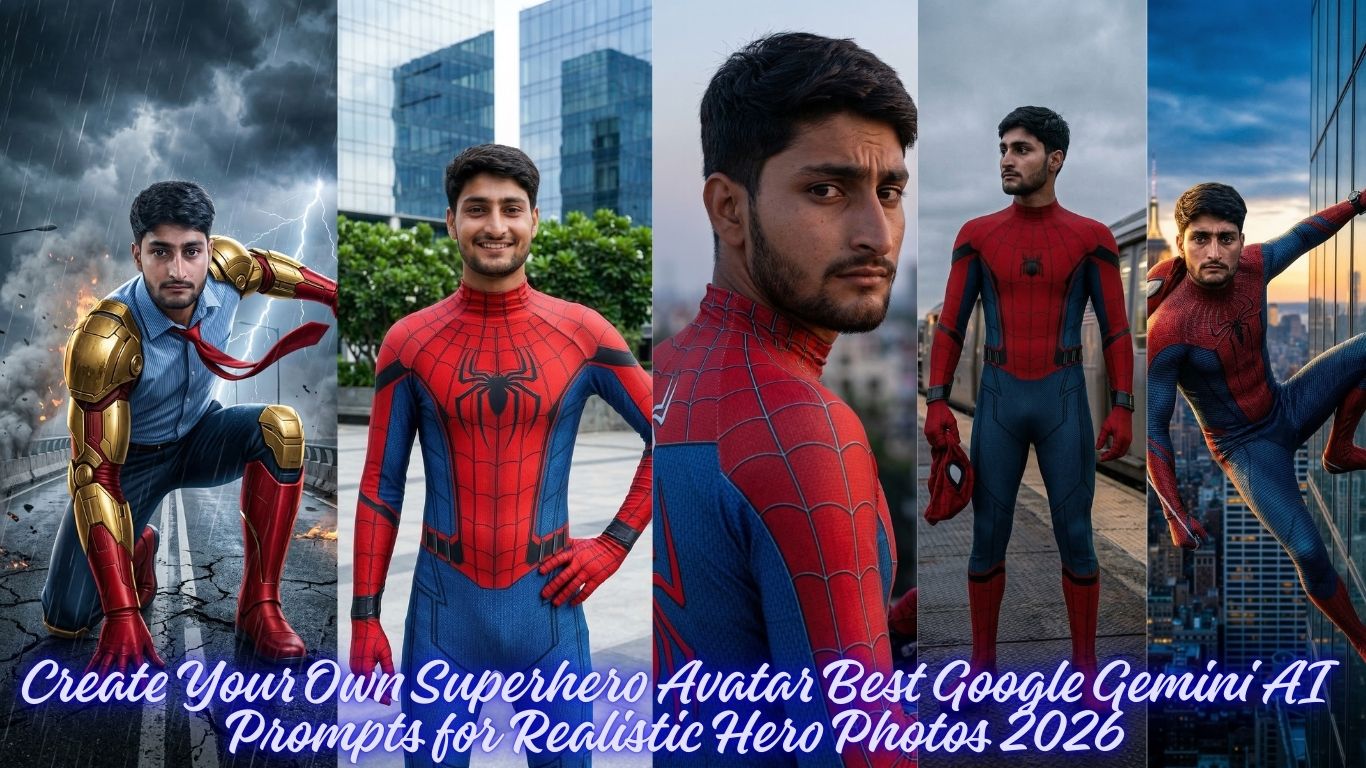
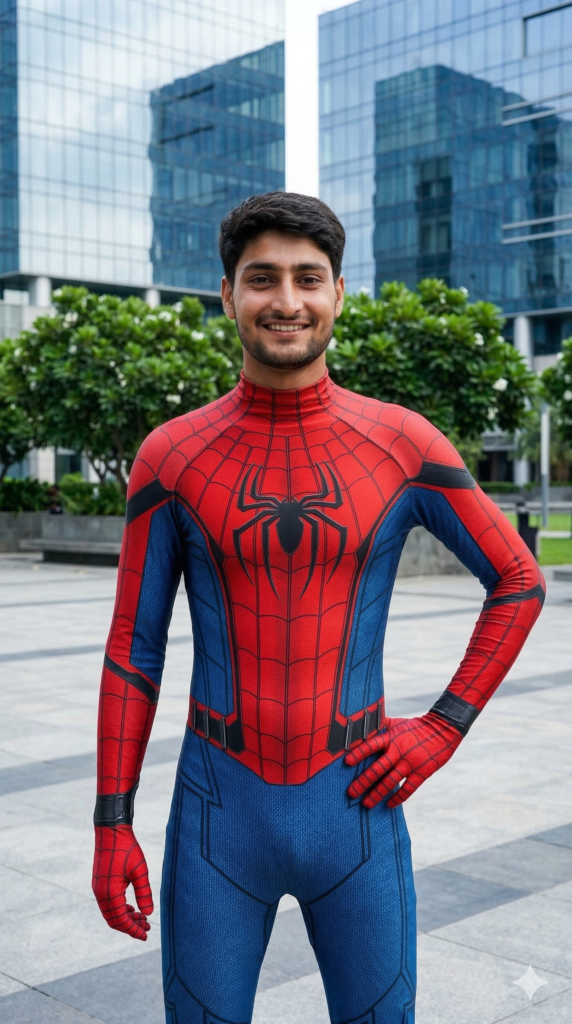
Create A 9.16 portrait, A full body shot of a smiling young man as Spider-Man, standing outdoors in front of a glass building and lush green foliage. He is wearing the red and blue Spider-Man suit from the Marvel Cinematic Universe, specifically the "Iron Spider" suit without the mechanical arms, featuring prominent black web lines and a black spider emblem on the chest. The suit is form-fitting, highlighting his athletic build. And for boy use my sane face 100% 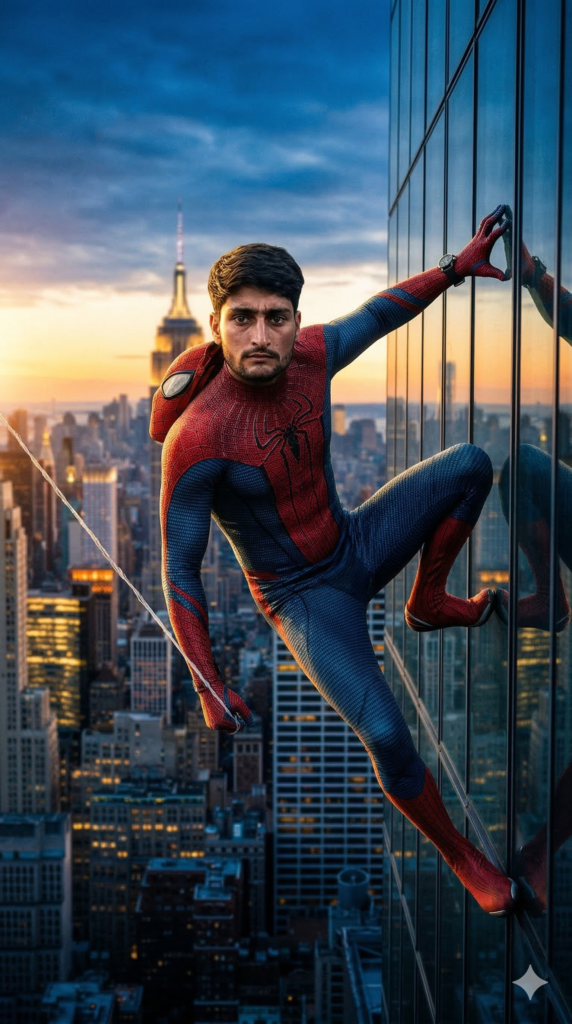
Create A 9.16 portrait, Cinematic ultra-realistic portrait of a man in Spider-Man suit hanging from the side of a tall skyscraper, mask removed showing his real face (Preserve Face 100%). The background shows a dramatic New York City skyline at sunset with glowing city lights, golden and blue tones, depth of field, highly detailed, realistic lighting, epic superhero atmosphere, aesthetic composition, cinematic vibe. Like DSLR photo, And for boy use my sane face 100% 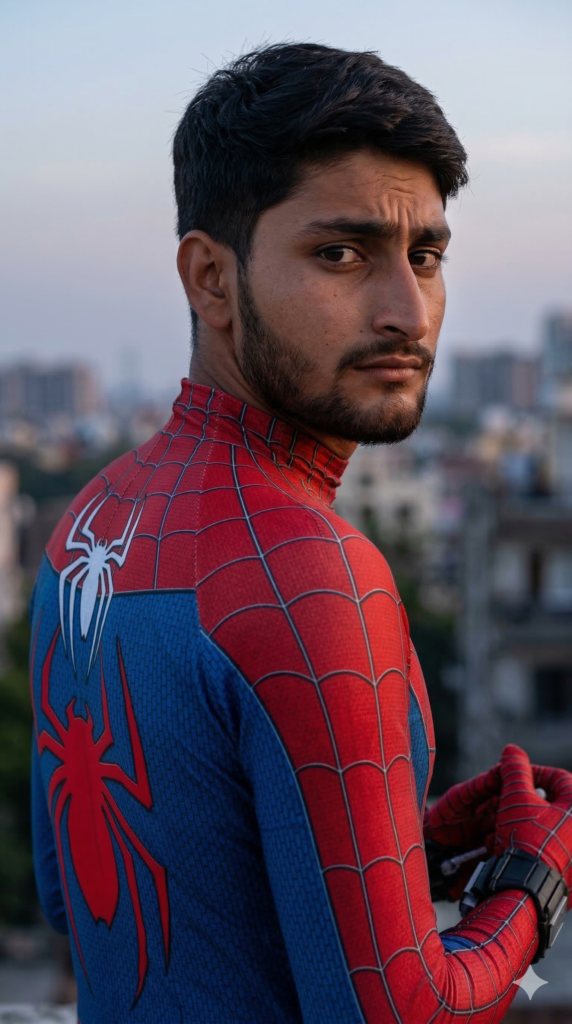
Create A 9.16 portrait, A close-up shot a young man as Spider-Man, from the chest up, with his head turned slightly to look over his right shoulder. His expression is serious and contemplative, with a slight furrow in his brow. He is wearing the red and blue Spider-Man suit, visible white Spider logo on his back and shoulder, with the classic web pattern and a prominent red spider logo on the back. And for boy use my sane face 100% 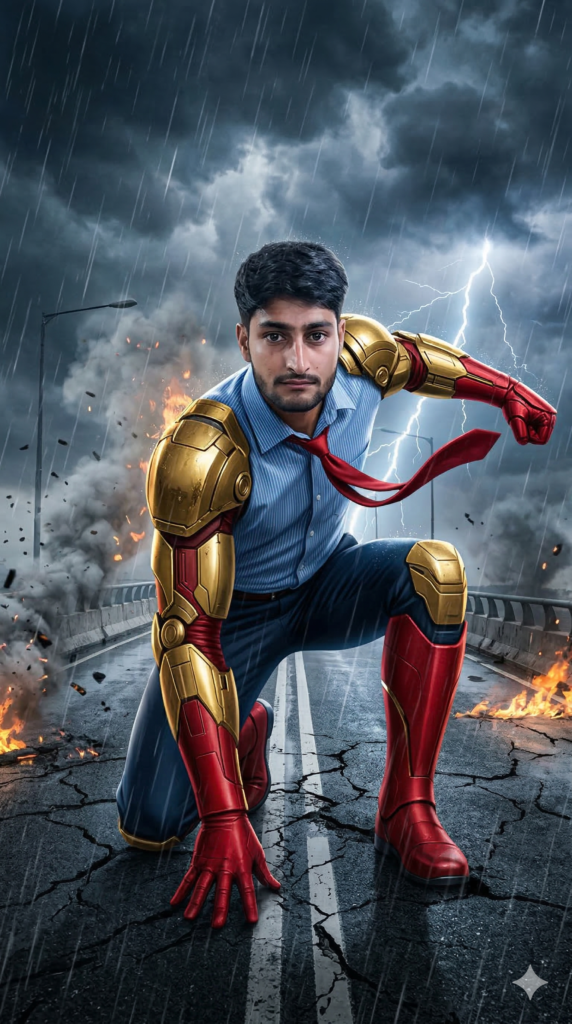
Create A 9.16 portrait, Cinematic superhero action scene on a destroyed highway bridge beneath stormy clouds. The same young man from the uploaded image — exact same face, no alteration whatsoever — crouches low in a heroic mid-pose, one knee bent and one hand pressed firmly against the cracked asphalt, as if bracing for impact. Wearing blue dress shirt ripples in the wind, tie whipping dynamically, and his red gloves and boots catch reflections from nearby flames. Golden mechanica, And for boy use my sane face 100% 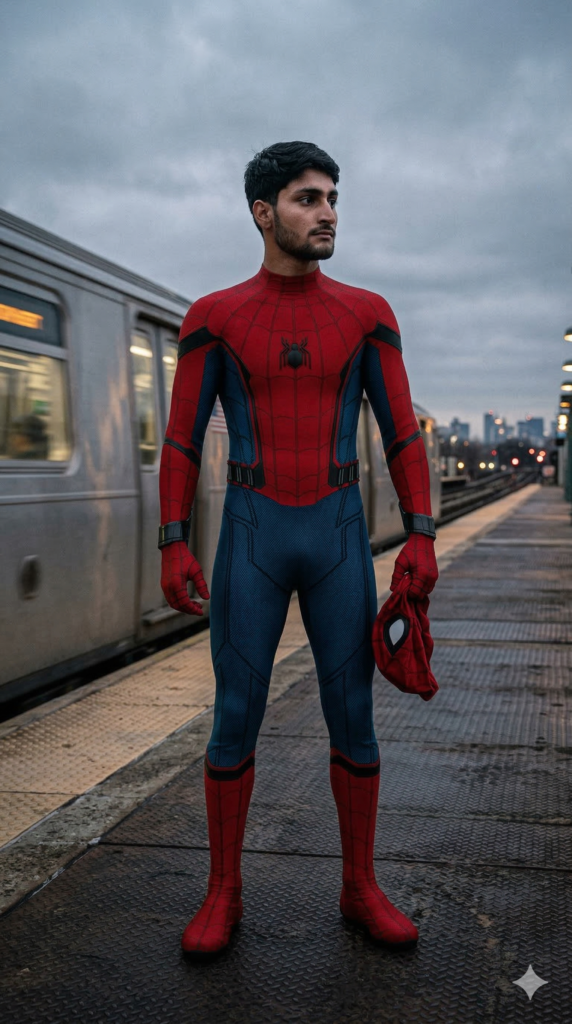
Create A 9.16 portrait, Cinematic superhero portrait. Full-body shot of MCU Spider-Man (from uploaded image) in his red and blue suit, standing on an elevated platform. He holds his mask in his gloved hand, looking intently right. Silver train passes behind him with motion blur. Overcast, bright white sky. Heroic pose, detailed costume, movie still quality and photo capture like DSLR 50mm Lens. And for boy use my sane face 100% How to Create Amazing Photos with Gemini AI
Want to turn your imagination into a stunning photo? Using Google Gemini to generate images is easier than ever. With our professional prompts, you can create high-quality, realistic, and stylish photos in just a few clicks.
Follow this simple guide to get started!
Step 1: Choose Your Favorite Prompt
Browse our website and find a style that you like. Whether you want a cinematic portrait, a cool streetwear look, or a moody urban vibe, we have a prompt for everything.
Step 2: Copy and Customize
Don’t just copy-paste! You can make the photo look exactly like you want by changing a few words.
Change the Outfit: If the prompt says “oversized hoodie,” you can change it to “leather jacket” or “Ferrari racing suit.”
Change the Setting: Swap “neon city streets” for “a cozy library” or “the beach at sunset.”
Add Details: Use words like “ultra-realistic,” “high detail,” or “Instagram style” to make the photo look professional.
Poses: If you want any other pose then add on ”OTHER POSE” keyword in prompt.
Step 3: Use it in Gemini
Copy the prompt from our site.
Go to Gemini.google.com.
Paste the prompt into the chat box and hit enter.
Wait a few seconds, and Gemini will generate unique images for you!
If you want to generate from https://chatgpt.com/, also use these propmts.